Search News
Industry Portal
Popular Tags
Industrial Automation Software for Manufacturing: Common Integration Mistakes to Avoid
Author
Time
Click Count
Industrial Automation Software for manufacturing can streamline production, improve visibility, and reduce manual errors—but only when integration is planned correctly. For operators and plant users, common mistakes such as poor system compatibility, unclear data flows, and limited user training often lead to costly disruptions. Understanding these pitfalls is the first step toward building a more reliable, efficient, and future-ready manufacturing environment.
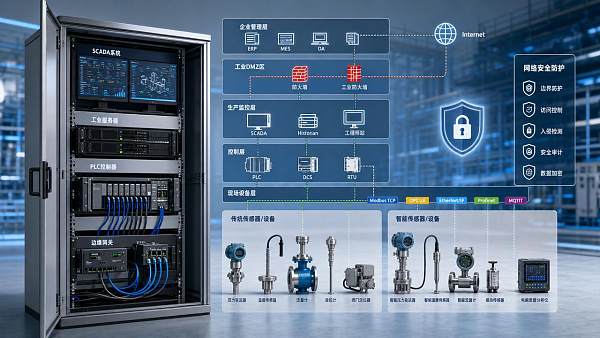
In real plants, integration is rarely a single software task. It touches PLCs, SCADA, MES, ERP, historians, sensors, motion systems, maintenance workflows, cybersecurity controls, and operator routines across 2 to 5 production layers. For users on the shop floor, the impact is immediate: a poorly connected system can delay alarms by 3 to 10 seconds, duplicate work orders, or create blind spots that slow response during line stops.
For industrial organizations evaluating Industrial Automation Software for manufacturing, the goal is not simply digitization. The real objective is stable production, traceable data, lower intervention effort, and safer decisions under normal and abnormal operating conditions. This article explains the most common integration mistakes to avoid, how operators can recognize warning signs early, and what implementation practices improve reliability from day 1 to long-term scale-up.
Why Integration Fails in Manufacturing Environments
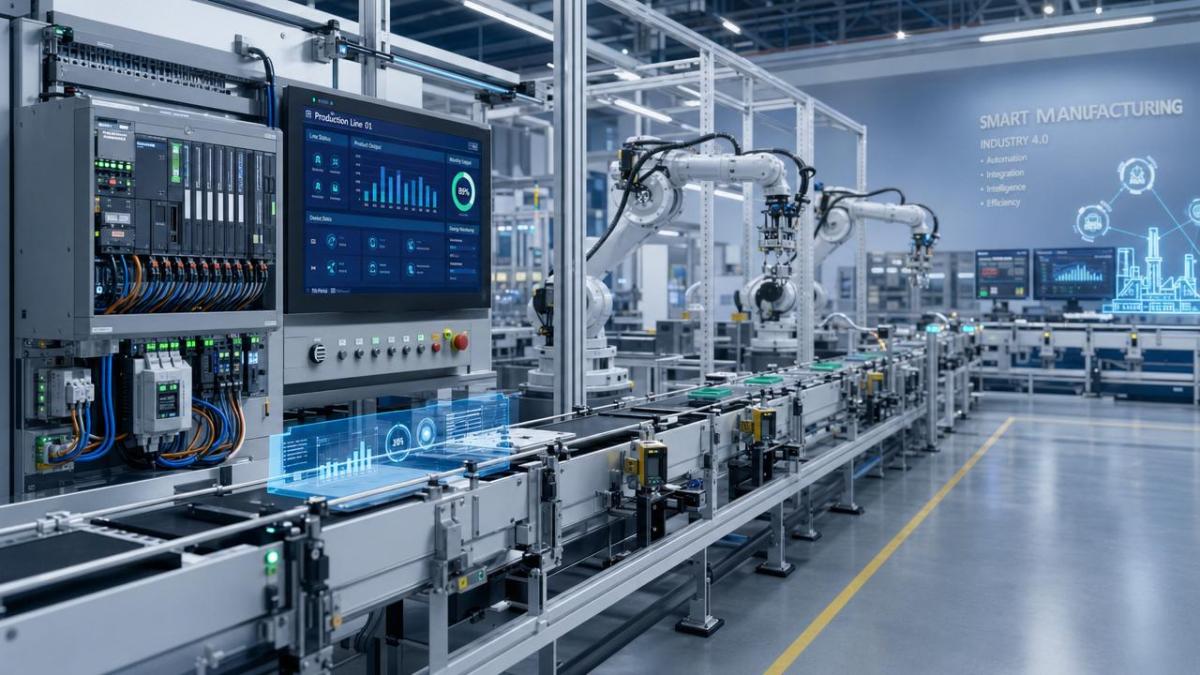
Manufacturing sites often run mixed equipment ages, mixed protocols, and mixed ownership between production, maintenance, IT, and engineering. That makes Industrial Automation Software for manufacturing integration more complex than a standard software deployment. A line may include 10-year-old PLCs, newer edge gateways, 24/7 packaging cells, and a quality database updated every 15 minutes rather than in real time.
When integration plans ignore these realities, operators become the first people to absorb the failure. They see missing tags, conflicting machine states, alarm flooding, or dashboards that look modern but do not reflect actual machine behavior. In many plants, 4 recurring causes explain most integration issues: compatibility gaps, undefined data ownership, weak testing discipline, and insufficient user preparation.
Mistake 1: Assuming All Systems Can Connect Without Translation
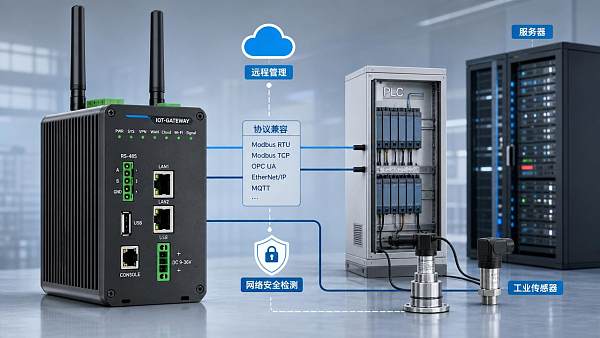
A common mistake is assuming that if two systems support “industrial connectivity,” they can exchange useful data immediately. In practice, support for OPC UA, Modbus TCP, Profinet, EtherNet/IP, or MQTT does not guarantee clean interoperability. Tag naming conventions, polling intervals, time stamps, engineering units, and alarm priorities may still be inconsistent across systems.
For example, one machine may report temperature in °C every 1 second, while another sends a scaled integer value every 5 seconds. If Industrial Automation Software for manufacturing is not configured to normalize those values, operators may see misleading trends and maintenance staff may miss gradual drift. A 2-second mismatch in one process can be manageable, but in high-speed assembly or semiconductor-adjacent precision environments, it can distort root-cause analysis.
What operators should verify
- Whether machine states use the same logic, such as Run, Idle, Fault, Setup, and Maintenance
- Whether all critical tags have engineering units and valid ranges
- Whether time stamps follow one plant standard, especially across shifts and batches
- Whether data refresh frequency matches process risk, such as 1 second for alarms versus 15 minutes for utility summaries
Mistake 2: Failing to Map Data Flows Before Go-Live
Another frequent error is integrating software screens first and data architecture later. That approach creates attractive dashboards but weak operational control. In a healthy architecture, each critical signal should have a defined source, destination, update frequency, retention period, and owner. Without that map, duplicate tags, conflicting reports, and unexplained downtime counts become common within the first 30 to 90 days.
Operators depend on trust in the screen. If the production count on the HMI differs from the MES count by 2% to 4%, confidence drops quickly. Users then return to manual logs, spreadsheets, or verbal handovers, which defeats the value of Industrial Automation Software for manufacturing and increases the chance of quality escapes and shift-to-shift inconsistency.
The table below shows typical integration weak points and the practical impact they create on the plant floor.
The key lesson is that most failures are not caused by software alone. They result from the gap between digital logic and physical plant behavior. Plants that define these items early usually reduce rework during commissioning and improve operator acceptance within the first 2 to 6 weeks.
Mistake 3: Underestimating Real-Time Performance Limits
Not every data point needs millisecond refresh, and not every network can support it. Yet many projects overload the system by requesting high-frequency polling for all tags. This can slow dashboards, increase network traffic, and create unstable performance at shift peaks. A better approach is tiered collection: critical alarms at 1 second or less, machine states at 1 to 3 seconds, and noncritical utility or KPI values at 30 to 300 seconds.
For operators, slow performance is not just inconvenient. If a fault acknowledgement takes 5 to 8 seconds longer than expected, troubleshooting confidence declines. In regulated or high-value manufacturing segments, that delay can affect batch release checks, line clearance decisions, or maintenance escalation timing.
How to Plan Integration Around Operators, Not Just Systems
Successful Industrial Automation Software for manufacturing deployment starts with the people who use it every shift. Operators do not need every backend detail, but they do need a system that matches real work sequences: start-up, recipe confirmation, quality checks, material calls, downtime coding, alarm handling, and shift reporting. If the software adds 6 extra clicks to a common task, adoption will drop regardless of technical sophistication.
A strong planning model usually covers 5 stages: asset audit, data mapping, pilot configuration, controlled validation, and phased rollout. This structure is especially valuable in plants running 24/7 or multi-line operations where a full cutover in a single weekend creates unnecessary risk.
Build a Practical Asset and Interface Inventory
Before selecting or expanding Industrial Automation Software for manufacturing, document what is already in place. A useful inventory should include at least 6 fields per asset: equipment name, controller type, protocol, firmware generation, critical signals, and current pain points. This avoids late surprises such as unsupported drivers, read-only connections, or historian limits.
For mixed plants, it is also helpful to classify assets into 3 groups: direct-connect equipment, gateway-required equipment, and manual-input processes. That distinction helps operators understand which values are automated, which are approximated, and which still require human confirmation.
Define User-Critical Data First
One of the best ways to avoid overcomplicated integration is to prioritize user-critical information before nonessential analytics. Start with the 20 to 30 tags, alarms, and events that directly support daily operation. These often include machine state, fault code, cycle count, batch ID, reject count, energy exception, and maintenance call status.
Once these essentials are stable, broader reporting can follow. This staged method lowers commissioning pressure and makes Industrial Automation Software for manufacturing easier to validate. It also prevents a common mistake: collecting thousands of tags while failing to deliver the 10 values operators actually need to make timely decisions.
A simple prioritization checklist
- Identify the top 5 production losses by frequency or downtime minutes
- List the 10 to 15 signals needed to detect or confirm those losses
- Set acceptable refresh rates for each signal
- Define who acts on each alarm or event within 1, 5, or 15 minutes
- Validate the display format with end users before full rollout
The following table outlines a practical operator-centered implementation framework that many plants use to reduce integration disruption.
This phased path is usually more resilient than a one-step deployment. It limits the blast radius of errors, gives users time to adapt, and produces cleaner acceptance criteria for operations, engineering, and IT teams.
Do Not Treat Training as a Final-Day Activity
Many projects wait until the final week to train operators. That is too late. Training should happen in at least 3 rounds: pre-go-live orientation, pilot-stage hands-on use, and post-launch reinforcement after 2 to 4 weeks. This helps users connect screen behavior with actual machine events rather than memorizing menus in a classroom.
For Industrial Automation Software for manufacturing, effective training should cover alarm response, downtime coding, trend interpretation, and escalation paths. It should also explain what the system does not do. If users believe all values are real time when some are refreshed every 60 seconds, incorrect decisions become likely.
Technical and Operational Safeguards That Reduce Long-Term Risk
Once software is connected and visible, the next challenge is keeping it reliable. Long-term performance depends on governance as much as installation quality. Plants that formalize change control, backup routines, access permissions, and alarm review cycles usually experience fewer unexpected disruptions over 6 to 12 months.
Set Clear Ownership for Data, Changes, and Exceptions
Every critical interface should have a named owner. That may be operations for downtime logic, maintenance for asset condition tags, engineering for control changes, and IT or OT for infrastructure health. Without ownership, no one knows who approves a tag rename, a polling-rate change, or a historian retention adjustment. Small untracked changes often create major confusion after the next software update.
As a baseline, review high-impact changes through a simple 4-point check: purpose, affected equipment, rollback method, and validation step. Even a 15-minute review can prevent hours of troubleshooting after deployment.
Control Alarm Load and Screen Complexity
Industrial Automation Software for manufacturing often fails users when it presents too much, not too little. If a workstation shows 40 live widgets, 12 trend pens, and 100 active alarms, the operator may miss the one critical event. In many environments, a more effective design is role-based: operators see immediate actions, supervisors see line KPIs, and engineers access deeper diagnostic layers.
Alarm rationalization matters as well. Plants should classify alarms into at least 3 levels: critical, action-required, and advisory. If more than 5 to 10 alarms appear in a short window during routine transitions, the logic likely needs tuning. Excessive alarm volume leads to desensitization, delayed acknowledgement, and higher operator stress.
Useful long-term controls
- Weekly review of nuisance alarms and repeated acknowledgements
- Monthly validation of 10 to 20 critical tags against source equipment
- Quarterly user feedback sessions by line, area, or shift
- Scheduled backup and recovery tests at defined intervals, not just backups alone
Plan for Scale, Cybersecurity, and Supplier Coordination
Integration design should account for future lines, new machines, and supplier changes. A system that works for 1 line may struggle at 8 lines if naming standards, network segmentation, and user roles are not defined early. Scalability also affects procurement decisions, because replacing software after 18 months due to architectural limits is far more disruptive than buying a platform with headroom.
Cybersecurity should be built into the integration plan rather than added after incidents. Role-based access, segmented OT networks, controlled remote support, and patch coordination windows are practical requirements. For operators, secure design also improves uptime because it reduces unauthorized changes and keeps troubleshooting paths disciplined.
In cross-disciplinary environments such as those benchmarked by G-CST across industrial software, motion systems, pump and valve infrastructure, advanced materials processing, and semiconductor-adjacent production nodes, integration quality depends on technical evidence, standards alignment, and interface clarity. That is why procurement, engineering, and users should evaluate not only software features but also documentation quality, interoperability maturity, and long-term support readiness.
What Operators and Buyers Should Ask Before Approval
Before approving a new deployment or upgrade, plant users and decision teams should ask practical questions that expose hidden integration risk. Can the vendor show how data moves from machine to screen to report? What is the expected response time for alarms? Which interfaces require gateways? What happens if a source device drops offline for 10 minutes? These questions often reveal more than a feature list.
A well-qualified Industrial Automation Software for manufacturing project should define acceptance criteria in operational terms. Instead of vague goals like “better visibility,” ask for measurable outcomes such as validated machine state accuracy, downtime code consistency across 3 shifts, and alarm delivery within a specified response window. These criteria help both users and buyers make better decisions.
Final Takeaway
The most expensive integration mistakes are usually preventable. Poor compatibility checks, unclear data flows, rushed training, overloaded alarms, and missing ownership can all weaken the value of Industrial Automation Software for manufacturing. In contrast, phased rollout, user-centered design, structured validation, and disciplined governance create a more stable production environment with fewer manual workarounds and stronger decision confidence.
For manufacturers, operators, and technical buyers seeking dependable industrial software decisions, evidence-based benchmarking and implementation planning matter as much as software selection itself. If you want to assess integration risk, compare platform fit, or build a more practical rollout roadmap, contact us to get a tailored solution, discuss project details, or explore more manufacturing automation options aligned with real plant conditions.
Recommended News
 Jun 22, 2026Smart Street Lighting Energy-Saving Solutions That Cut Power CostsSmart street lighting energy-saving solutions help cities, campuses, and industrial sites cut power costs, improve control, and boost reliability with smarter, site-specific planning.
 Jun 21, 2026Sustainable Logistics Strategies That Cut Cost and EmissionsSustainable logistics strategies that cut cost and emissions: learn 5 practical ways to boost load efficiency, reduce freight waste, improve visibility, and strengthen project performance.
 Jun 19, 2026Mobile Accessories Trends in 2026: Which Categories Still Have MarginMobile accessories trends in 2026 reveal which categories still protect margin. Explore high-potential segments like GaN chargers, Qi2 gear, power banks, and premium protection.
 Jun 18, 2026Smart Home Devices Wholesale Bulk Order: Cost Traps to Check FirstSmart home devices wholesale bulk order buyers should check hidden costs before committing. Learn how compliance, firmware, compatibility, and logistics affect real margin.
 Jun 17, 2026Smart Hotel Installation Checklist for Stable System IntegrationSmart hotel installation checklist for stable integration: learn how to align rooms, public areas, networks, and protocols to reduce failures, improve uptime, and deliver a smoother guest experience.
 Jun 15, 2026Energy Auditing Checklist: Find Waste, Cut Costs, Improve UptimeEnergy auditing checklist to find hidden waste, cut energy costs, and improve uptime. Learn what to inspect first, prioritize quick wins, and turn audit findings into practical action.
 Jun 14, 2026Industrial Automation Software Solutions for Faster Line VisibilityIndustrial Automation Software solutions improve line visibility, reduce downtime, and strengthen traceability across assembly, process, and precision manufacturing. Learn how to choose the right fit.
 Jun 12, 2026Environmental Monitoring Systems: Key Features for ComplianceEnvironmentalmonitoringsystems are essential for compliance. Discover the must-have features for audit readiness, data integrity, alarms, and reliable facility control.
 Jun 12, 2026B2B Manufacturing Trends Shaping Supply Chains in 2026B2B manufacturing in 2026 is reshaping supply chains through resilience, traceability, compliance, and digital integration. Explore the trends driving smarter sourcing decisions.
 Jun 11, 2026Smart Manufacturing Trends 2026 for Industrial AutomationSmart manufacturing trends 2026 for industrial automation reveal how edge intelligence, verified interoperability, and compliance-ready systems can boost uptime, resilience, and smarter investment decisions.
![]() Jun 09, 2026Supply Chain Visibility: Key Metrics That Prevent DelaysSupply chain visibility starts with the right metrics. Discover 7 proven indicators that help prevent delays, reduce risk, and keep engineering projects on schedule.
Jun 09, 2026Supply Chain Visibility: Key Metrics That Prevent DelaysSupply chain visibility starts with the right metrics. Discover 7 proven indicators that help prevent delays, reduce risk, and keep engineering projects on schedule.![]() Jun 05, 2026Workplace Solutions That Cut Downtime in 2026Workplace solutions that cut downtime in 2026: explore predictive maintenance, resilient infrastructure, and smarter procurement strategies to boost uptime and reduce operational risk.
Jun 05, 2026Workplace Solutions That Cut Downtime in 2026Workplace solutions that cut downtime in 2026: explore predictive maintenance, resilient infrastructure, and smarter procurement strategies to boost uptime and reduce operational risk. Jun 02, 2026ESS Selection: Capacity, Safety, and ROIESS selection made clear: compare usable capacity, safety compliance, supplier reliability, and ROI factors to choose a resilient energy storage system with long-term value.
 Jun 02, 2026Photovoltaic Panels: 2026 Cost and Payback GuidePhotovoltaic panels in 2026: compare costs, incentives, ownership models, and payback scenarios to build a smarter, lower-risk solar investment plan.
 Jun 01, 2026Smart Hotel Supplier Checklist for Scalable Guest Room AutomationSmart hotel supplier checklist for choosing scalable guest room automation with reliable integration, cybersecurity, lifecycle support, and lower project risk.
 May 31, 2026Benchmarking for Smart Hotels: Metrics That MatterBenchmarking for smart hotels reveals the metrics that matter—energy, uptime, cybersecurity, guest adoption, and vendor resilience—to guide smarter investments and stronger performance.
 May 29, 2026Smart Hotel Automation Cost Payback GuideSmart hotel automation cost payback guide: evaluate ROI, energy savings, labor efficiency, integration risks, and lifecycle costs before investing.
 May 28, 2026Industrial Cloud Platform OEM vs Custom Build: Key Trade-OffsIndustrial cloud platform OEM vs custom build: compare speed, cost, compliance, lock-in, and control to choose the right industrial platform strategy for growth.
 May 27, 2026Industrial Edge Computing Platform: Latency vs Cost in 2026Industrial edge computing platform selection in 2026: compare latency, cost, security, and scalability with a practical checklist to reduce TCO and support real-time AI.
 May 27, 2026How to Compare Data Historian Software for Factory UptimeData historian software factory teams trust can improve uptime, traceability, and compliance. Learn how to compare reliability, scalability, and integration before you buy.
 May 26, 2026HMI Software OEM: Key Integration Checks Before LaunchHMI software OEM manufacturer launch guide: verify protocol integration, cybersecurity, performance under load, and lifecycle support before go-live to reduce risk and ensure reliable industrial deployment.
 May 25, 2026IIoT Gateway Wholesale: Key Cost and Compatibility Checksiiot gateway wholesale buyers should compare true lifecycle cost, protocol compatibility, cybersecurity, and rollout readiness to avoid risk and choose scalable industrial solutions.
 May 25, 2026How to Compare Industrial Cybersecurity Suppliers in 2026Industrial cybersecurity supplier comparison in 2026: use a practical checklist to verify OT standards, protocol coverage, safe deployment, and supplier resilience before you buy.
 May 24, 2026Industrial SCADA System OEM: Integration Risks to Check FirstIndustrial SCADA system OEM selection starts with integration risk. Learn how to assess protocol fit, cybersecurity, data integrity, and lifecycle support before rollout.